PPEE (puppy)
A professional PE file explorer and editor for malware analysts, reverse engineers, release engineers and security teams, with a GUI, a scriptable CLI, a Docker image and an MCP server for AI assistants.
PPEE (pronounced puppy) opens any Portable Executable file (EXE, DLL, SYS, OCX, CPL, EFI and .NET assemblies) and shows every structure in it: headers, sections, all 16 data directories, resources, Authenticode signatures, .NET metadata tables, the Rich header, the embedded manifest, hashes and strings. You can edit almost any field in place and save the result.
Choose how you want to use PPEE
-
Desktop GUI
A tree of every PE structure, sortable list views, a hex editor, a navigator strip that maps the whole file and similarity alerts. It runs on Windows XP through Windows 11 and on Linux.
-
Command line
ppee-cliprints any subset of the file as text or JSON, patches fields with--setand exits non-zero on failure, so it fits into scripts. -
Docker
A small Debian-based image around
ppee-clithat respects container CPU limits and runs with a read-only root and no network. -
CI/CD
Gate releases on signatures, ASLR/DEP/CFG flags, unexpected imports or known-bad hashes in GitHub Actions, GitLab, Jenkins or Azure Pipelines.
-
AI assistants (MCP)
ppee-cli --mcpis a Model Context Protocol server, so Claude and other MCP clients can triage binaries for you. -
Runtime analysis
Build settings, dependencies, source paths, obfuscation and encrypted code in .NET, Go, Rust and NativeAOT binaries, read from their metadata without running them.
-
Walkthroughs
Real malware, one question at a time: a NativeAOT ransomware, a payload-container DLL, a signed installer, a shellcode loader and 19 shorter walkthroughs. Static only, nothing executed.
-
PE feature reference
What each structure means, where it is in the GUI, and which CLI switch and JSON key expose it.
Feature matrix
Supported platforms
| Platform | GUI binary | CLI binary | Notes |
|---|---|---|---|
| Windows XP SP3 → Windows 11 | ppee.exe (Direct3D 9, with a GDI software-rendering fallback) | ppee-cli.exe | 32-bit static executables that also run on 64-bit Windows and analyze both PE32 and PE32+; no installer, no runtime |
| Linux x86-64 | ppee (GLFW + OpenGL 3) | ppee-cli | glibc 2.38+ |
| Docker / OCI | - | ppee-cli image | debian:trixie-slim base |
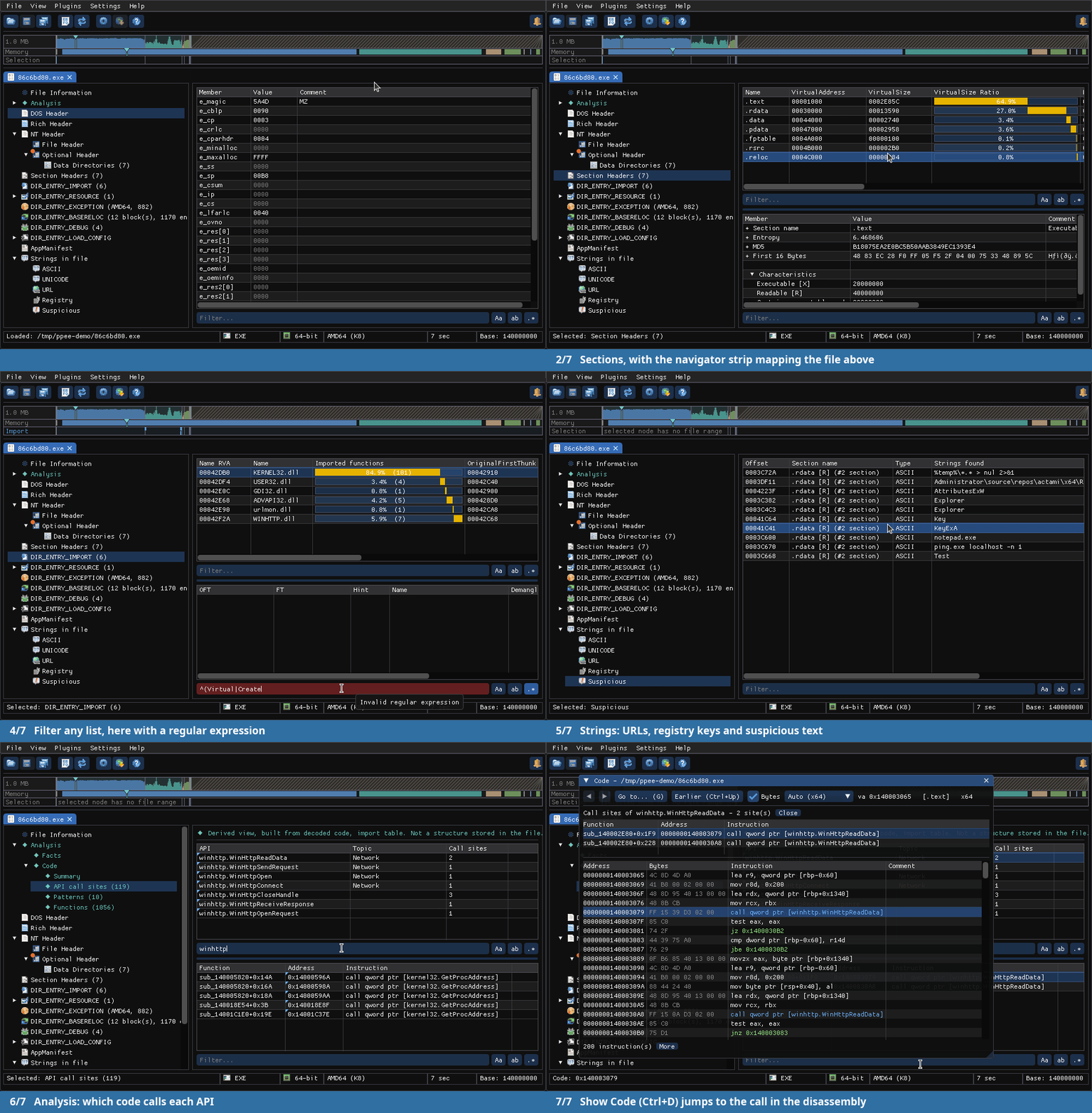
Sixty-second tour
Pick a node in the left tree (for example DIR_ENTRY_IMPORT). Its rows appear in the upper list, and clicking a row fills the lower list. Double-click a value to edit it, then press Ctrl+S to save.
New to PE files?
Start with Quick Start, then read Headers & Sections. Every feature page links to the GUI view, the CLI switch and the JSON key that expose it.