Quick Start
This walkthrough looks at one file, sample.exe, first in the GUI and then in the CLI.
1. Open a file in the GUI
Start ppee.exe and use File → Open… (Ctrl+O), drag the file onto the window, or right-click the file in Explorer and choose Open in PPEE (puppy) (after enabling shell integration).
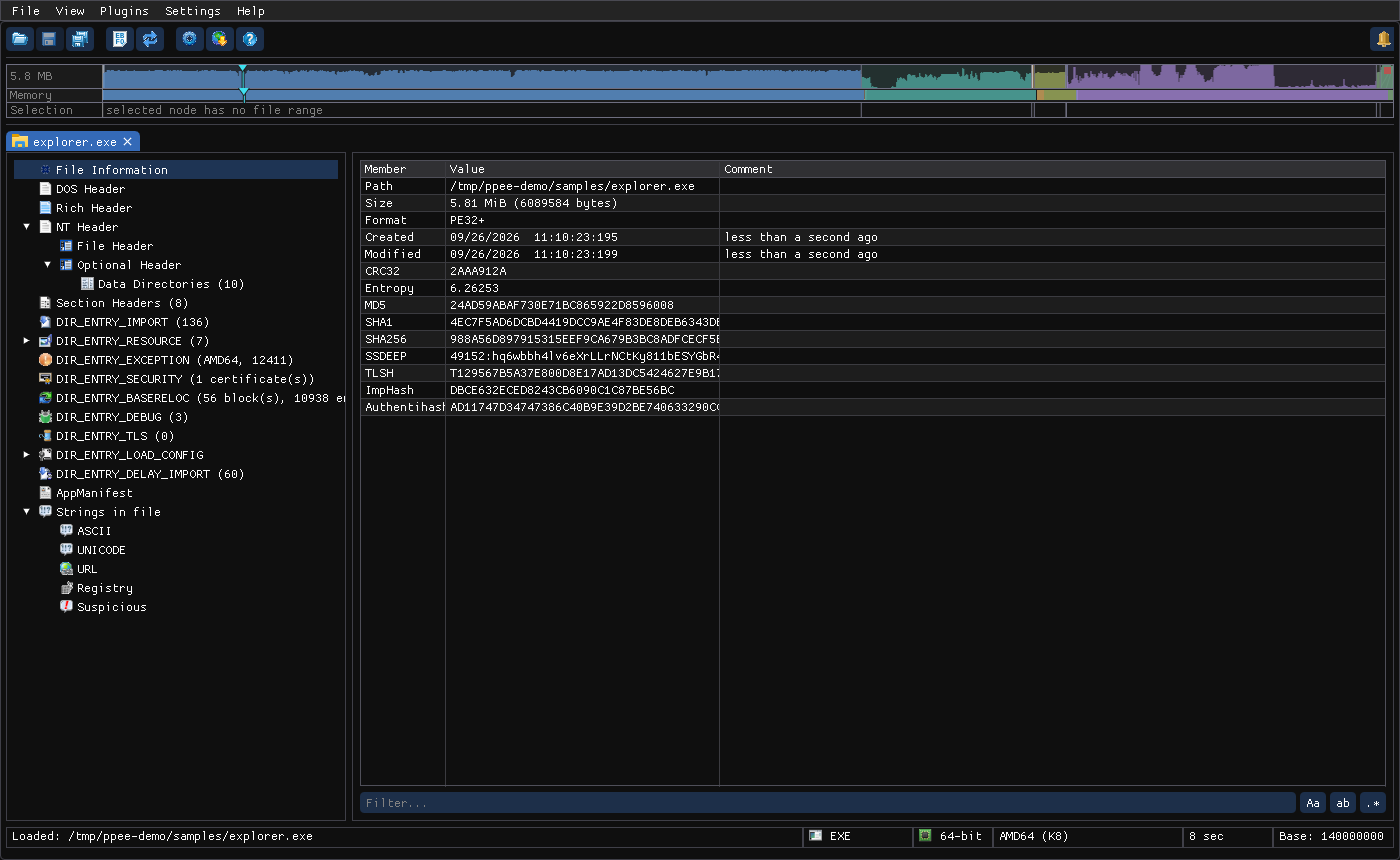
Linux screenshot: PPEE with a file open
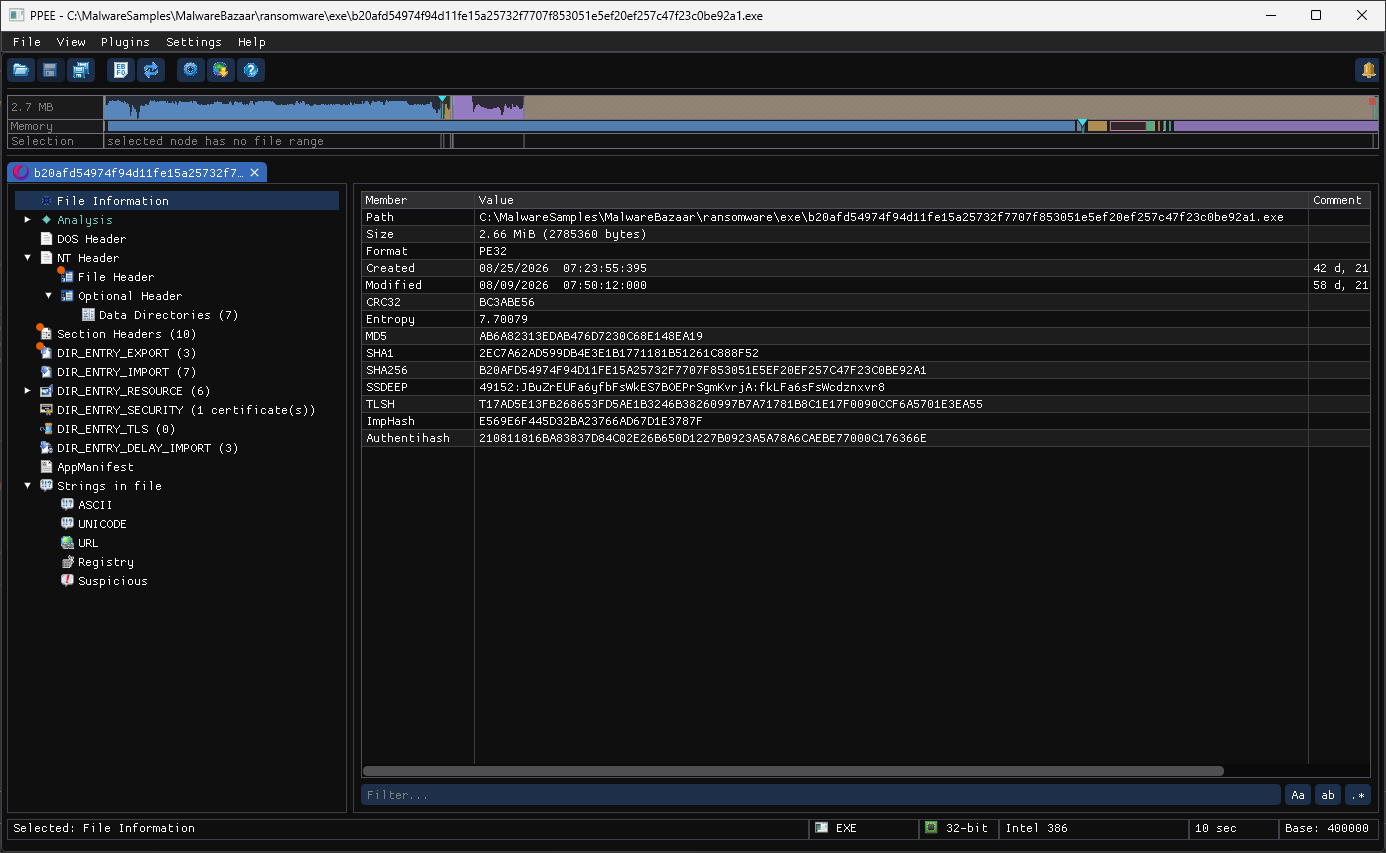
Windows screenshot: main window
2. Read the basics
| Question | Where to look in the GUI | CLI equivalent |
|---|---|---|
| 32- or 64-bit? What CPU? | File Header → Machine, Optional Header → Magic | ppee-cli --headers |
| Is ASLR / DEP / CFG on? | Optional Header → DllCharacteristics | policy gate recipe |
| What does it import? | DIR_ENTRY_IMPORT | ppee-cli --imports |
| Is it signed? By whom? | DIR_ENTRY_SECURITY | ppee-cli --security |
| Hashes for threat-intel lookups | File Information | ppee-cli --hashes |
| Packed or encrypted? | Navigator strip entropy, section entropy | ppee-cli --hashes (entropy) |
3. Get the same answers from the CLI
Real output for a small UPX-packed dropper (77549422a5306f905d68153b1f649745d330d45e564c927046132ecc1d20ae3e.exe):
$ ppee-cli --hashes 77549422….exe
/samples/77549422a5306f905d68153b1f649745d330d45e564c927046132ecc1d20ae3e.exe: 7168 bytes, PE32

FileInfo:
  CRC32:        CBBCCE59
  Entropy:      6.92387
  MD5:          B578369C8E42C88CF5DBA6093E4D5601
  SHA1:         0E067777F022FFACC522FED4734FB98E50221FD7
  SHA256:       77549422A5306F905D68153B1F649745D330D45E564C927046132ECC1D20AE3E
  SSDEEP:       192:zXzdrr1FG1WDCgmjPZKYjRnMoyCeFMUA:Lprr1gkDCgS9jlMWIMB
  TLSH:         T128E17E972E3A10EBD0DA7231528FC26631AFA0E1A7D50AC88A6CEF5F34665149975704
  ImpHash:      A3581BFE28E762682DBC13D06BF2FDA0
  Authentihash: C2C14EAB7EEECC4C525BC839784729F57F7A4A7F109E2179EE3121FF9A4F2553
PS C:\> ppee-cli.exe --hashes C:\MalwareSamples\77549422a5306f905d68153b1f649745d330d45e564c927046132ecc1d20ae3e.exe
C:\MalwareSamples\77549422a5306f905d68153b1f649745d330d45e564c927046132ecc1d20ae3e.exe: 7168 bytes, PE32

FileInfo:
  CRC32:        CBBCCE59
  Entropy:      6.92388
  MD5:          B578369C8E42C88CF5DBA6093E4D5601
  SHA1:         0E067777F022FFACC522FED4734FB98E50221FD7
  SHA256:       77549422A5306F905D68153B1F649745D330D45E564C927046132ECC1D20AE3E
  SSDEEP:       192:zXzdrr1FG1WDCgmjPZKYjRnMoyCeFMUA:Lprr1gkDCgS9jlMWIMB
  TLSH:         T128E17E972E3A10EBD0DA7231528FC26631AFA0E1A7D50AC88A6CEF5F34665149975704
  ImpHash:      A3581BFE28E762682DBC13D06BF2FDA0
  Authentihash: C2C14EAB7EEECC4C525BC839784729F57F7A4A7F109E2179EE3121FF9A4F2553
Search the SHA-256 on VirusTotal or MalwareBazaar. Then ask PPEE why it looks packed:
$ ppee-cli --analysis 77549422….exe
Code > Summary  (built from entry point, TLS callbacks, all decoded code)
Entry point
  Address: 0x40A360 [code 0x40A360: entry point]  in UPX1
  [*] Its section is writable and executable.
  [*] It is in UPX1, not in the first code section, UPX0.
  [*] It starts with pushad (saves every general register on the stack).
PS C:\> ppee-cli.exe --analysis C:\MalwareSamples\77549422a5306f905d68153b1f649745d330d45e564c927046132ecc1d20ae3e.exe
C:\MalwareSamples\77549422a5306f905d68153b1f649745d330d45e564c927046132ecc1d20ae3e.exe: 7168 bytes, PE32

Analysis (derived views, not PE structures):

Code
  Detected: x86 machine code

Code > Summary  (built from entry point, TLS callbacks, all decoded code)
Entry point
  Address: 0x40A360 [code 0x40A360: entry point]  in UPX1
  [*] Its section is writable and executable.
  [*] It is in UPX1, not in the first code section, UPX0.
  [*] It starts with pushad (saves every general register on the stack).
        0040A360  pushad
        0040A361  mov esi, 0x409015
        0040A366  lea edi, dword ptr [esi-0x8015]
        0040A36C  push edi
        0040A36D  jmp 0x40A37A

What the code does
  - Nothing notable in the decoded code.

Imports in use
  Memory protection: imported, but no call found
  Run-time linking: imported, but no call found

Coverage
  Decoded: 162 instructions, 1 functions
  - Found by following direct calls and jumps from the entry point, TLS callbacks, exports, .pdata, the CFG function table and relocated pointers; code reached only through computed jumps is not covered, so every count is a lower bound.

Code > API call sites (4)  (built from decoded code, import table)
API                      Topic              Call sites
kernel32.VirtualAlloc    Memory protection  0
kernel32.VirtualFree     Memory protection  0
kernel32.VirtualProtect  Memory protection  0
kernel32.GetProcAddress  Run-time linking   0

Code > Patterns (0)  (built from all decoded code)
Pattern  Function  Address  What  Exception handling

Code > Functions (1)  (built from entry point, TLS, exports, .pdata, CFG table, relocated pointers, direct calls)
Address   Found as     Name        Callers
0x40A360  entry point  EntryPoint  0  [code 0x40A360: 0x40A360]
The Code analysis page continues this sample all the way to its original entry point.
Handle samples safely
PPEE never runs the file, but the sample itself is live malware. Keep samples in an isolated analysis VM, and don't double-click them.
Switches combine. With no section switch at all, PPEE prints everything (the same as --all).
ppee-cli --headers --sections --imports sample.exe   # three sections
ppee-cli sample.exe                                  # everything
4. Switch to JSON for scripting
Every key is documented in JSON Output.
5. Make an edit
Here we turn off IMAGE_DLLCHARACTERISTICS_DYNAMIC_BASE (ASLR) in a copy of the file, for example to reproduce a bug at a fixed address:
$ ppee-cli --headers explorer.exe | grep DllCharacteristics
  OptionalHeader.DllCharacteristics        = C1C0
$ ppee-cli --set OptionalHeader.DllCharacteristics=C180 --save -o explorer-noaslr.exe explorer.exe > /dev/null
applied 1 field edit(s)
saved 'explorer-noaslr.exe'
0x40 is DYNAMIC_BASE: C1C0 minus 0x40 is C180. The messages go to stderr, so they still show with > /dev/null.
In the GUI, double-click the value, type the new one, press Enter, then press Ctrl+S (or Ctrl+Shift+S, Save As…, to keep the original). See Editing & Saving.
Where next?
- Walkthroughs: triage real malware samples step by step
- CLI option reference: every switch, with examples
- GUI guide: tree, list views, hex view, navigator strip
- Docker and CI/CD: automate it
- MCP: let an AI assistant do the triage