From a URL to its call site in a shellcode loader
At a glance
- Sample
86c6bd8098246eaf4527d9caa406221b3ff1ce551cf3b029cfc71d2e5e7a7963.exe(1 MB, PE32+ x64, from a RemusStealer set, unsigned)- Question
- A small x64 EXE with an ordinary import table. What does it fetch, and what does it do with it?
- You'll use
- Data directories · Code analysis · Strings · Code window · Debug directory
- Time
- about 5 minutes in the GUI; the CLI version reads every instruction
Step 1 Get the layout
Select Optional Header → Data Directories.
Windows screenshot: Data Directories: seven present, no Security and no TLS
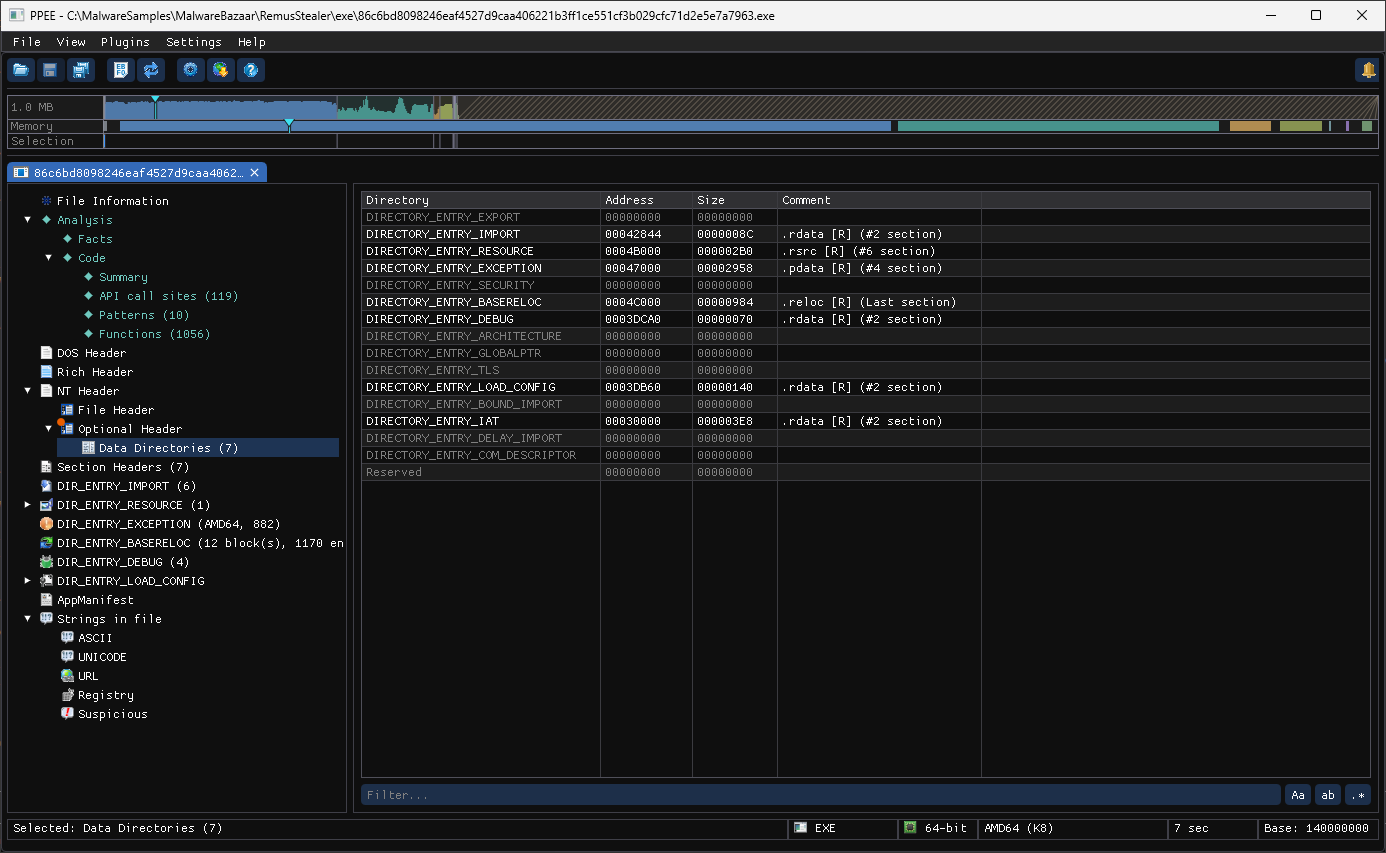
No Security directory: unsigned. No TLS: nothing runs before the entry point. Import, Exception, Debug and Load Config are what an ordinary MSVC x64 build has. Nothing stands out yet; the header looks like any small program.
Step 2 Ask what the code really calls
Select Analysis → Code → Summary and scroll to Imports in use.
Windows screenshot: Imports in use: VirtualAlloc, CreateThread and VirtualProtect resolved at run time with GetProcAddress
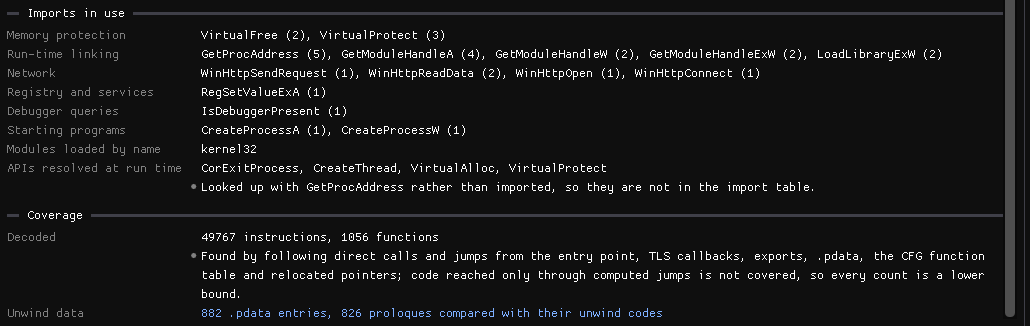
The last two rows are the finding:
- APIs resolved at run time:
CreateThread,VirtualAlloc,VirtualProtect. They are looked up withGetProcAddress, so they are not in the import table at all. - Network:
WinHttpOpen,WinHttpConnect,WinHttpSendRequest,WinHttpReadData.
Allocate, make executable, start a thread: the shape of a shellcode loader. The import table alone would not have said so.
Step 3 Find the URL, and the code that uses it
Open Strings in file → URL.
Windows screenshot: URL strings: http://95.164.53.193:5001/uos.bin and a list of well-known websites
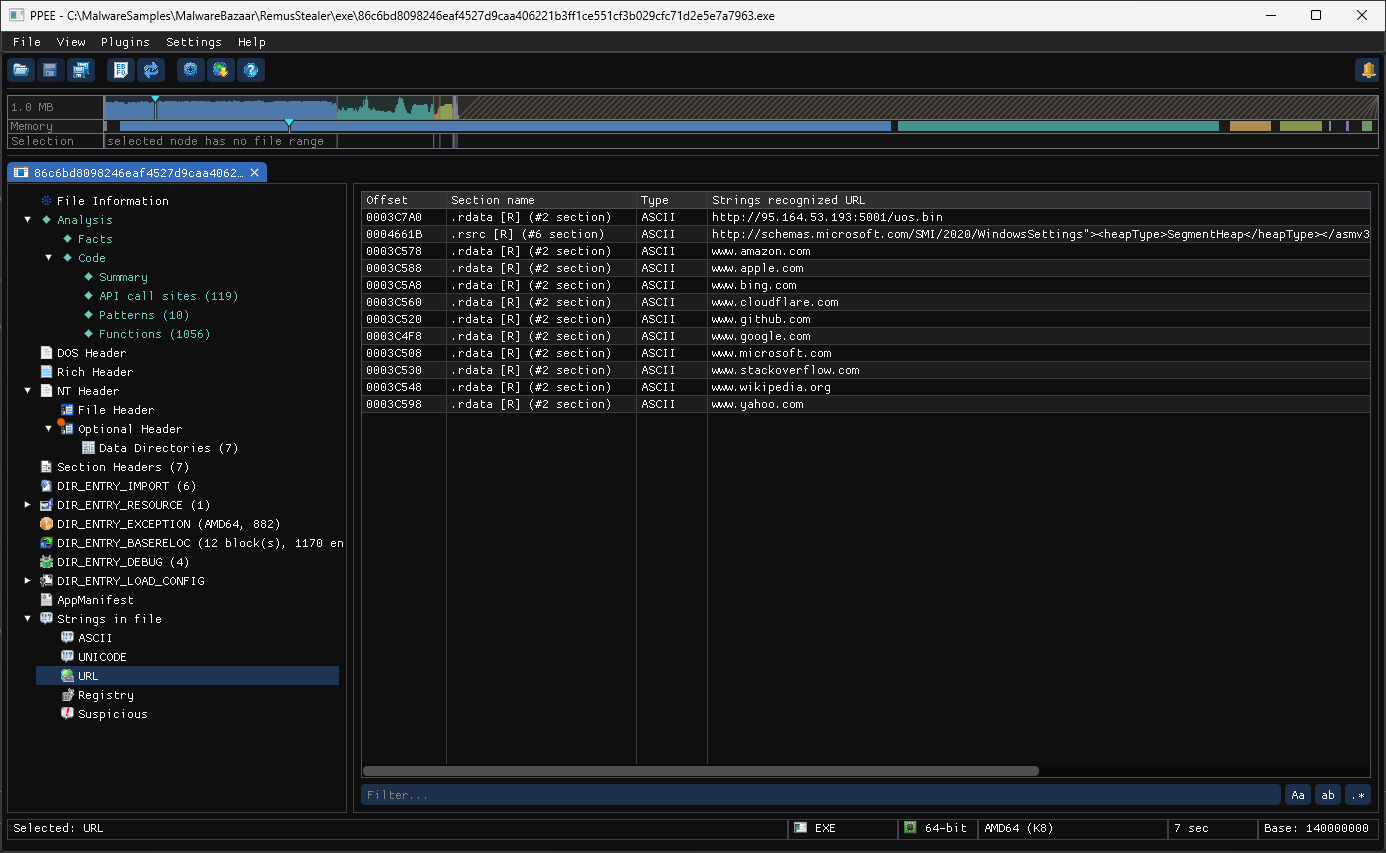
Among them, http://95.164.53.193:5001/uos.bin, a raw IP, a non-standard port and a .bin file. The other URLs are well-known sites (www.google.com, www.microsoft.com, …), the kind of list a program uses to check that it is online; the schemas.microsoft.com one belongs to the manifest in .rsrc. Scroll right to the Referenced by column: each of the .rdata URLs is used by 1 instruction. Click the mark on the C2 URL:
Windows screenshot: References panel: one site, sub_140005AE0+0x1C, lea rdx with the URL as comment
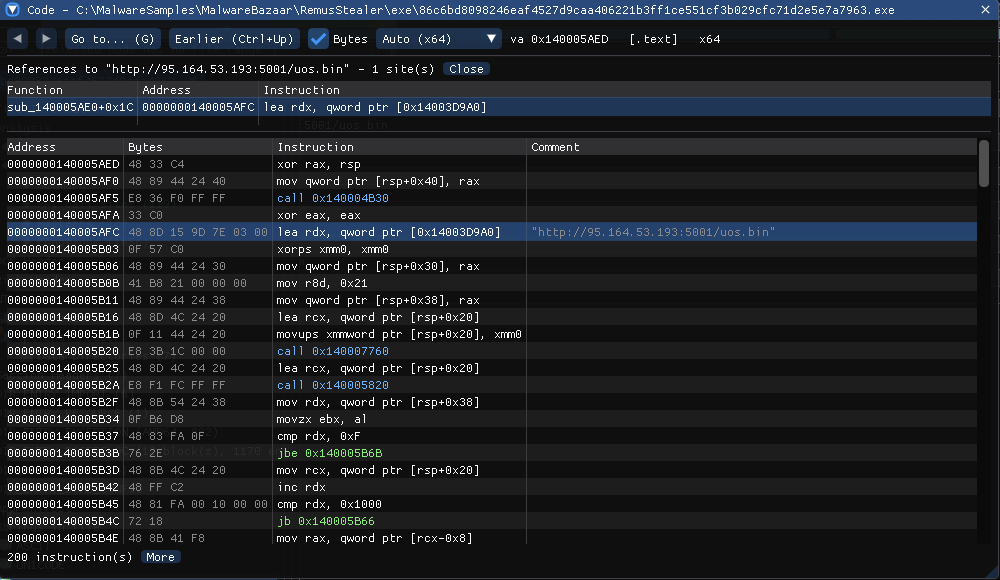
One instruction, in sub_140005AE0, loads the URL. That function is where the download starts. The CLI walkthrough follows it into 0x140005820: URLDownloadToCacheFileW, read the file into memory, delete it, VirtualAlloc(…, PAGE_READWRITE), copy, VirtualProtect(…, PAGE_EXECUTE_READ), CreateThread, wait.
Step 4 Read the leftovers
Strings in file → Suspicious:
Windows screenshot: Suspicious strings: %temp% wipe, ping localhost delay, notepad.exe, PDB path
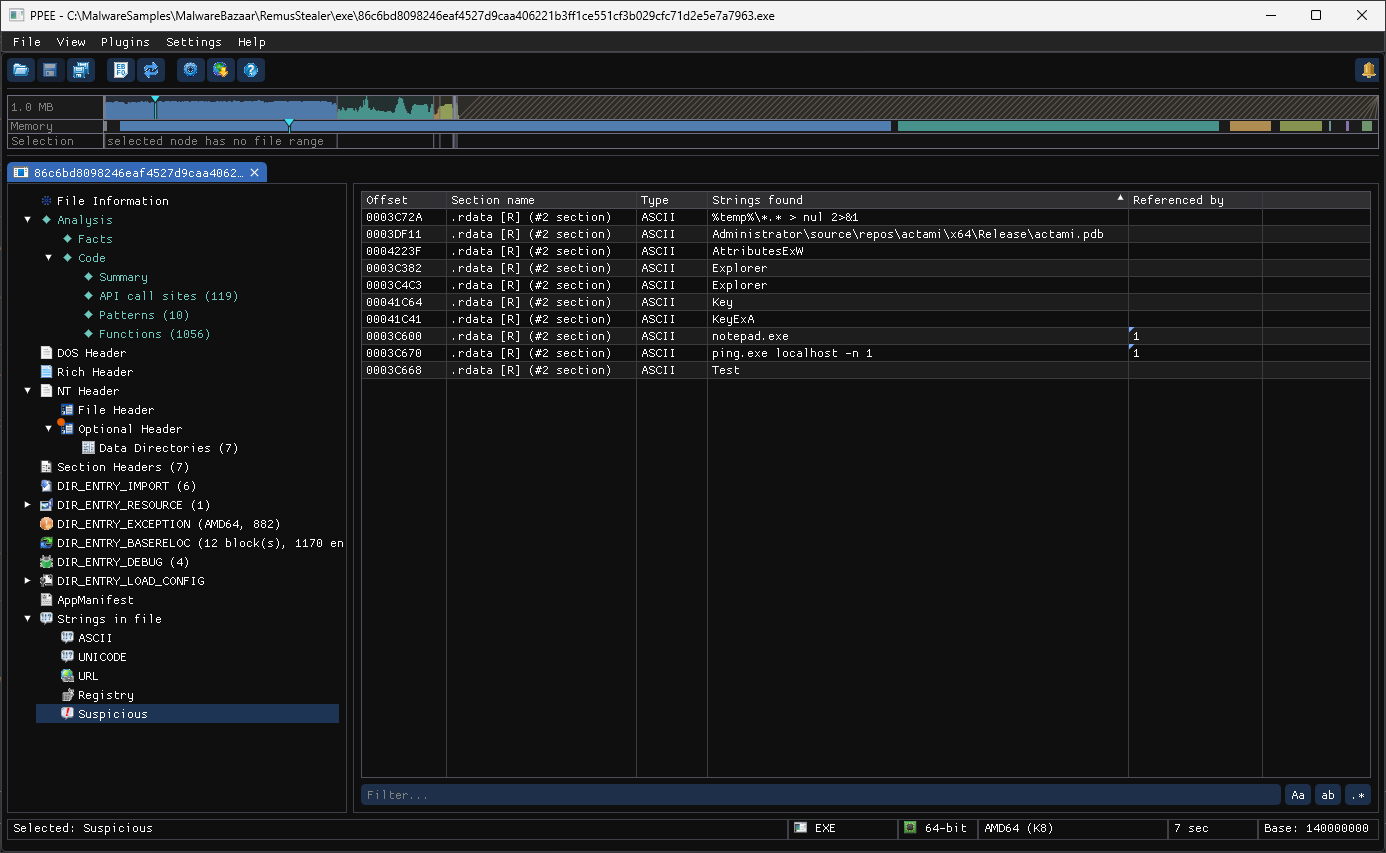
%temp%\*.* > nul 2>&1andping.exe localhost -n 1: cleanup, and the usual pause before a file deletes itself.notepad.exe, used by code: a process to start or inject into.
DIR_ENTRY_DEBUG adds the build path:
Windows screenshot: CodeView record: C:\Users\Administrator\source\repos\actami\x64\Release\actami.pdb
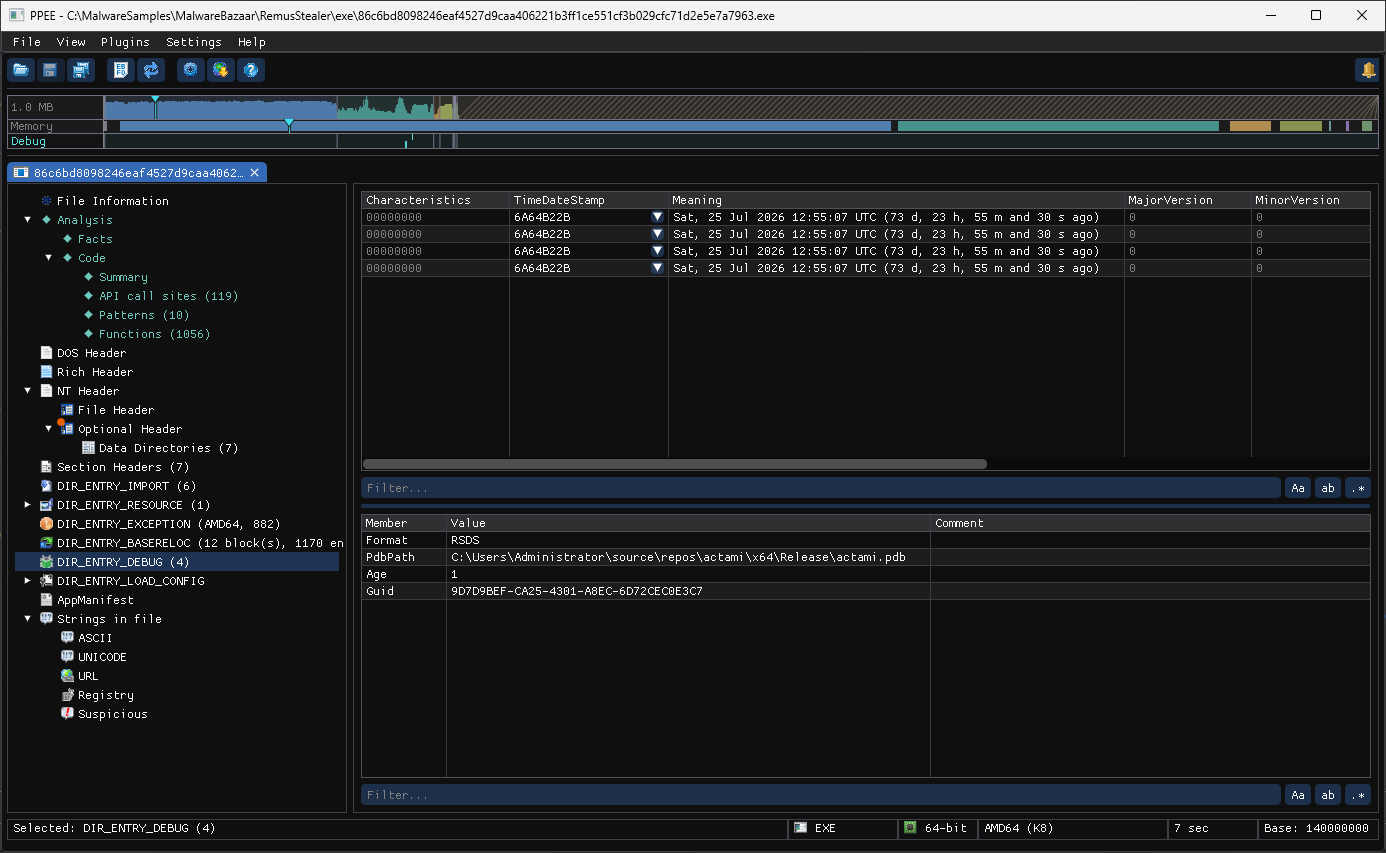
C:\Users\Administrator\source\repos\actami\x64\Release\actami.pdb: Visual Studio's default project folder, project actami. Search for the name and the GUID across your samples.
Verdict
A download-and-execute shellcode loader. It fetches uos.bin from 95.164.53.193:5001, puts it in memory it makes executable with APIs it never imports, and runs it in a new thread. Block the URL and IP; the shellcode itself is the next thing to fetch (safely).
More walkthroughs: all walkthroughs · Code analysis walkthroughs
References
- MITRE ATT&CK T1105: Ingress Tool Transfer: downloading the next stage.
- MITRE ATT&CK T1071.001: Application Layer Protocol: Web Protocols: the HTTP traffic through WinHTTP.
- MITRE ATT&CK T1620: Reflective Code Loading: running downloaded code from memory.